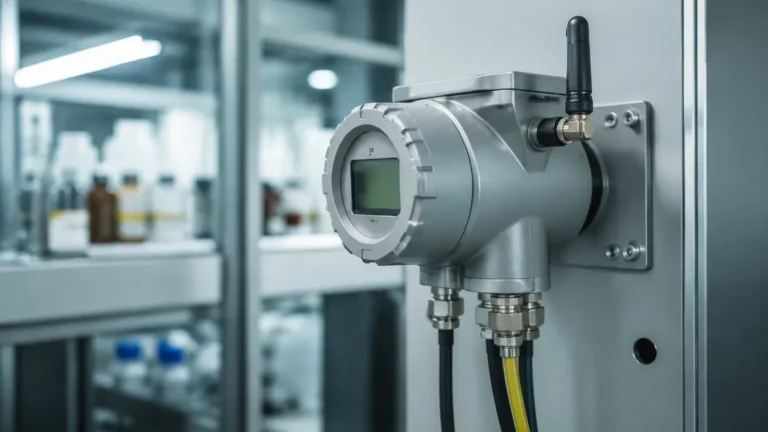
Data Viewer
Data Viewer
In the landscape of industrial automation, the ability to accurately interpret signals from field instrumentation is as critical as the measurement itself. A data viewer, whether manifested as a physical digital indicator, a localized HMI (Human-Machine Interface), or a sophisticated software dashboard, serves as the essential bridge between raw sensor output and actionable operational intelligence. For process engineers and plant managers, the data viewer is the primary tool for monitoring tank levels, managing inventory, and ensuring the safety of chemical or water treatment processes.
Effective level measurement requires a seamless flow of information from the point of detection to the point of decision. This guide explores the technical foundations of data visualization in level measurement, the integration of various sensor technologies, and the criteria for selecting the appropriate interface for industrial environments. For those seeking specific hardware configurations, visiting the Main Page provides a comprehensive overview of compatible instrumentation and display solutions.
Measurement Principles and Signal Translation
Before a data viewer can display a value in meters, liters, or percentage of volume, the physical state of the medium must be converted into an electrical signal. Understanding these underlying principles is vital for troubleshooting data discrepancies.
Radar Level Measurement
Radar level meters utilize Time of Flight (ToF) technology. The sensor emits a high-frequency microwave pulse (typically in the 26GHz or 80GHz range) that travels to the surface of the material, reflects, and returns to the antenna. The instrument calculates the distance based on the time interval. The internal processor then converts this distance into a 4-20mA signal or a digital protocol like HART or Modbus, which the data viewer interprets as a level reading.
Ultrasonic Level Sensors
Similar to radar, ultrasonic sensors use ToF but rely on sound waves. A transducer emits an ultrasonic pulse that bounces off the liquid or solid surface. Because the speed of sound is affected by air temperature, these sensors often include integrated temperature compensation. The data viewer must be calibrated to account for the "blanking distance" (the zone immediately below the sensor where measurement is impossible) to provide accurate real-time data.
Hydrostatic Pressure
Hydrostatic transmitters measure the pressure exerted by a liquid column. The principle follows the formula: *P = ρgh* (Pressure = density × gravity × height). The sensor converts the mechanical pressure on a diaphragm into an electrical signal. In this application, the data viewer often performs the critical task of converting pressure units (bar or kPa) into height (meters) or volume, provided the liquid density is constant.
The Functionality of a Data Viewer in Industrial Systems
In a B2B context, a data viewer is rarely a standalone component; it is a node within a larger control architecture. Its primary functions include:
1. Signal Conversion and Scaling: Translating a 4mA signal to "0%" and a 20mA signal to "100%" or specific engineering units.
2. Visual Alarm Management: Providing high-level and low-level visual cues or triggering physical relays when thresholds are breached.
3. Data Logging and Trending: Storing historical values to identify patterns, such as leak rates in chemical tanks or peak usage times in water distribution.
4. Multi-Channel Monitoring: Advanced data viewers can aggregate inputs from multiple sensors, allowing an operator to monitor an entire tank farm from a single interface.
Key Evaluation Criteria for Selection
Selecting the right data viewer requires an assessment of both the field conditions and the information requirements of the end-user. The following table provides a comparison of common viewer types used in level measurement applications.
Comparison of Data Viewer Types
| Feature | Local Digital Indicator | Multi-Channel Controller | SCADA/PC-Based Viewer |
| :— | :— | :— | :— |
| Input Capacity | Single channel (typically) | 2 to 16 channels | Virtually unlimited |
| Environment | IP65/IP67 (Field-mounted) | Panel-mounted (Control room) | Office/Server environment |
| Power Supply | Loop-powered or 24V DC | 110V/220V AC or 24V DC | System-dependent |
| Data Logging | Minimal/None | SD Card or Internal Memory | SQL Database/Cloud |
| Communication | 4-20mA, HART | Modbus RTU, Ethernet | OPC UA, MQTT, Modbus TCP |
| Best Use Case | Immediate tank-side check | Small-scale automation | Enterprise-wide monitoring |
Accuracy and Resolution
In precision industries like pharmaceutical or fine chemical processing, the resolution of the data viewer must match or exceed the resolution of the sensor. For instance, if a radar level meter has an accuracy of ±2mm, the data viewer should be capable of displaying decimals to at least one millimeter to avoid rounding errors that could impact inventory calculations.
Installation and Integration Considerations
Proper installation is the most significant factor in ensuring the longevity of a data viewer. Even the most advanced software-based data viewer is useless if the field-level signal is degraded by poor wiring or environmental interference.
Wiring and Signal Integrity
For analog signals (4-20mA), shielded twisted-pair cabling is mandatory to prevent Electromagnetic Interference (EMI) from high-power equipment like pumps and mixers. The data viewer should ideally be grounded at a single point to prevent ground loops, which can introduce significant offsets in the displayed level.
Environmental Protection
Field-mounted data viewers must be rated for the environment. In water treatment plants, high humidity and corrosive gases (like H2S) require enclosures with high IP ratings (IP66 or higher). In the oil and gas sector, viewers must often carry ATEX or IECEx certifications for use in Zone 0 or Zone 1 hazardous areas.
Power Supply Stability
Fluctuations in power can lead to "flickering" data or total system resets. Utilizing a stabilized 24V DC power supply with surge protection is recommended for all industrial data viewers to ensure continuous monitoring during minor electrical transients.

Common Risks and Limitations
While a data viewer provides clarity, users must be aware of potential pitfalls:
* Signal Latency: In digital systems, there is a delay between the physical change in level and the update on the screen. This is critical in high-speed filling applications where a 1-second delay can result in an overfill.
* Parallax and Readability: For physical displays, sunlight readability is a common issue. High-contrast OLED or backlit LCD screens are necessary for outdoor installations.
* Configuration Mismatch: If the sensor is set to measure "distance to product" but the data viewer is configured for "height of product," the readings will be inverted. Always verify the reference point (typically the sensor flange or the tank bottom) across all devices.
Practical Maintenance Checklist
To maintain the reliability of your data viewer and level measurement system, follow this routine maintenance schedule:
1. Monthly: Inspect field enclosures for moisture ingress or terminal corrosion.
2. Quarterly: Cross-reference the data viewer reading with a manual dip-tape measurement to verify calibration.
3. Bi-Annually: Check for firmware updates for digital viewers and ensure data logging storage (SD cards) is not at capacity.
4. Annually: Perform a full loop check, simulating 4mA and 20mA signals to ensure the viewer displays the correct minimum and maximum values.
Frequently Asked Questions (FAQs)
Q: Can a data viewer handle non-linear tank shapes?
A: Yes, many advanced data viewers and controllers include "strapping table" or linearization functions. You can input coordinates for horizontal cylindrical tanks or tanks with conical bottoms, and the viewer will automatically calculate the volume based on the level signal.
Q: What is the difference between a loop-powered and an externally powered viewer?
A: A loop-powered data viewer draws its operating power directly from the 4-20mA signal loop. This simplifies wiring but may introduce a small voltage drop. Externally powered viewers require a separate power feed but often offer brighter displays and more features like relay outputs.
Q: How do I integrate a data viewer with an existing PLC?
A: Most modern viewers offer Modbus RTU (RS485) or Modbus TCP (Ethernet) communication. This allows the viewer to act as a slave device, providing the PLC with processed data while still offering a local display for operators.
Technical Confirmation Before Implementation
Before finalizing a measurement system, project stakeholders should confirm the following details with their equipment provider:
* The maximum distance between the sensor and the data viewer to prevent signal attenuation.
* Compatibility of communication protocols (e.g., ensuring the viewer supports the specific version of HART used by the sensor).
* The required mounting type (wall mount, pipe mount, or panel mount).
For detailed specifications on level sensors and integrated display solutions, refer to the technical resources available on the Main Page. Selecting the right combination of sensor technology and data viewer ensures not only accurate measurement but also the long-term stability of industrial process controls.